 Alva Code
Connect AI
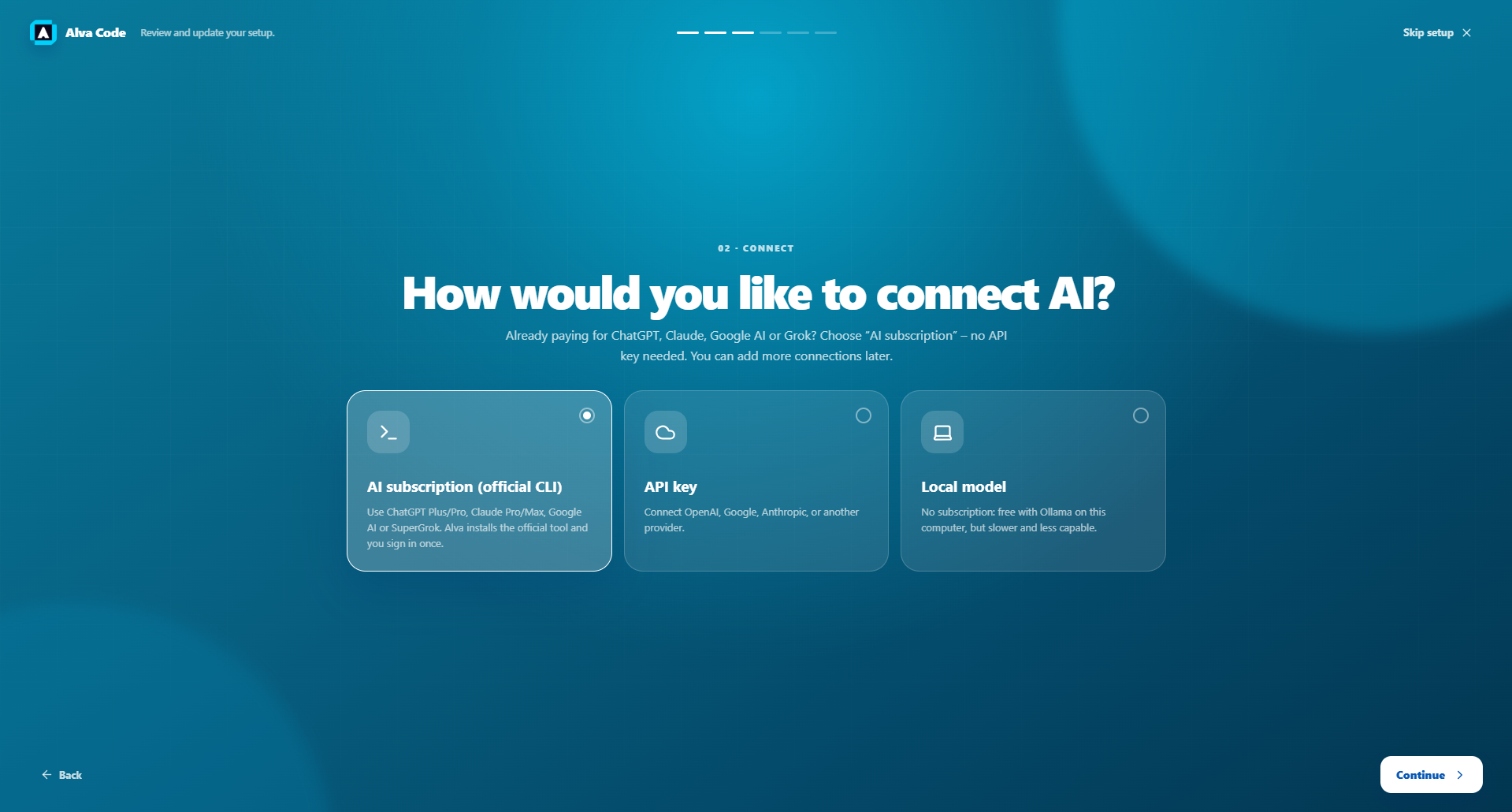
Choose your AI connection
Already have an AI subscription? Start here before entering an API key.
Step by step
- Existing AI subscription: choose “AI subscription (official CLI)”. A CLI is a small program installed on your computer that connects Alva to a coding provider. You do not need to learn terminal commands to use Alva’s installation buttons.
- Install the tool for your provider, then sign in to that provider. Installing Alva alone does not install or authenticate every provider’s tool.
- API key: choose this if you want to connect a provider using its developer API credentials. Treat this as a separate connection from signing into a chat subscription.
- Local model: choose Ollama if you want to run a model on your computer. Ollama must be running and a model must be installed.
- You only need one working connection to start. Additional providers can be configured later in Settings.
Example screenshot · English interface